
If you have been designated as the owner of a Distribution group, you can add and remove individuals.
To manage the Distribution list take the following steps:
Open a new email
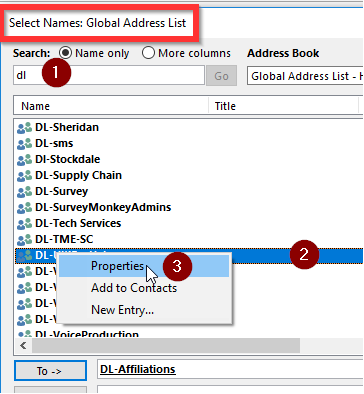
Click the To button to open Contact list.
Search for the DL
When found, Right Click on DL group
Select Properties
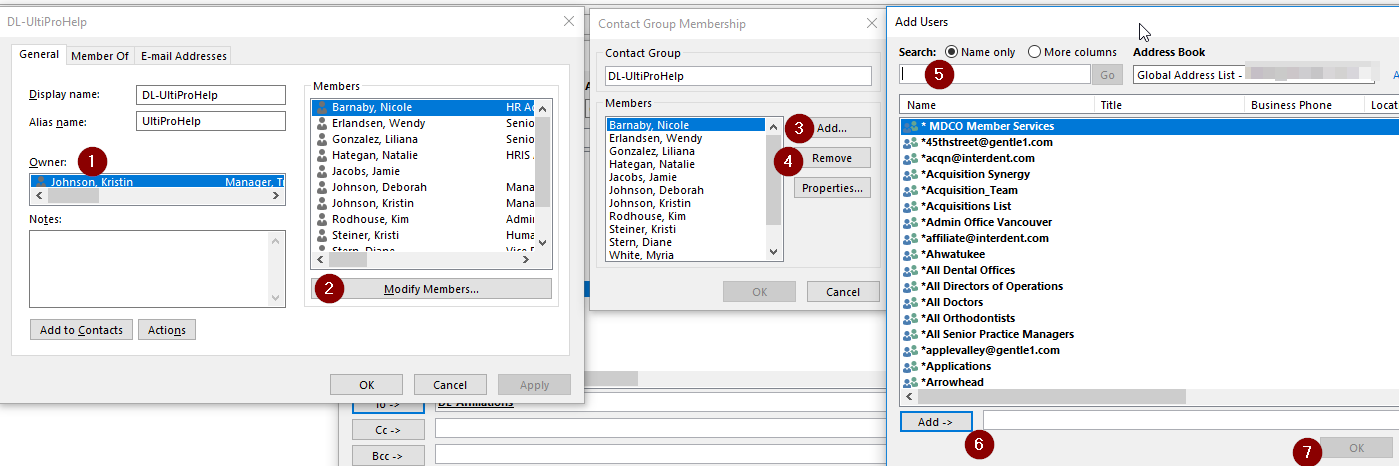
Note that ONLY the Owners can make changes.
Select Modify Members
Select Add to add members
Select Remove after selecting an individual in the list
Search for person you want to add
Double click name to have appear in the Add dialog box
Select OK to add to group
Comments
0 comments
Article is closed for comments.