
If the documents you are printing are going to the wrong printer, or simply not printing at all, this is the first thing to check!
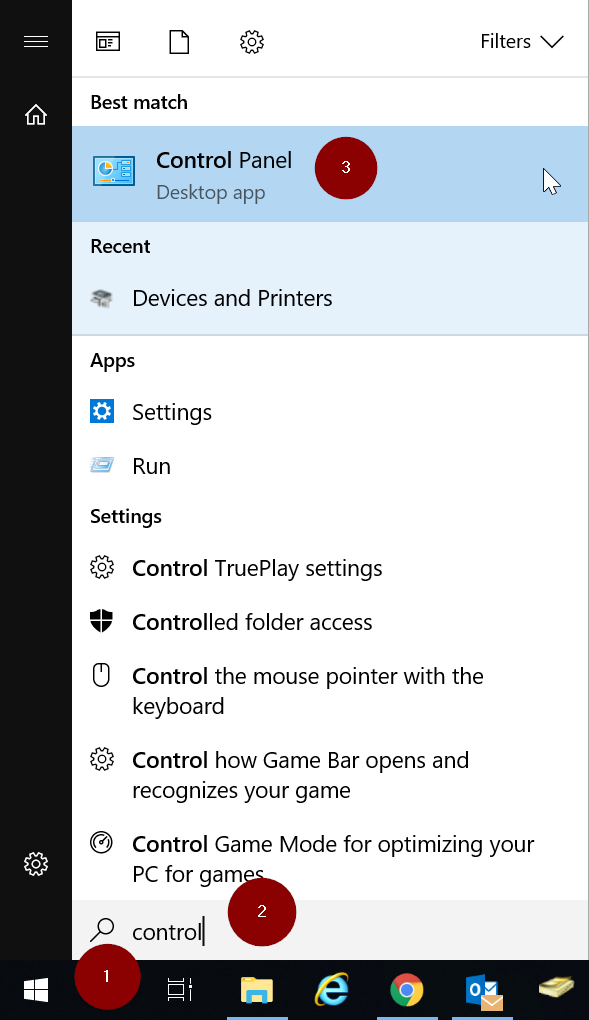
Go to the Start menu and type in Control then open Control Panel.
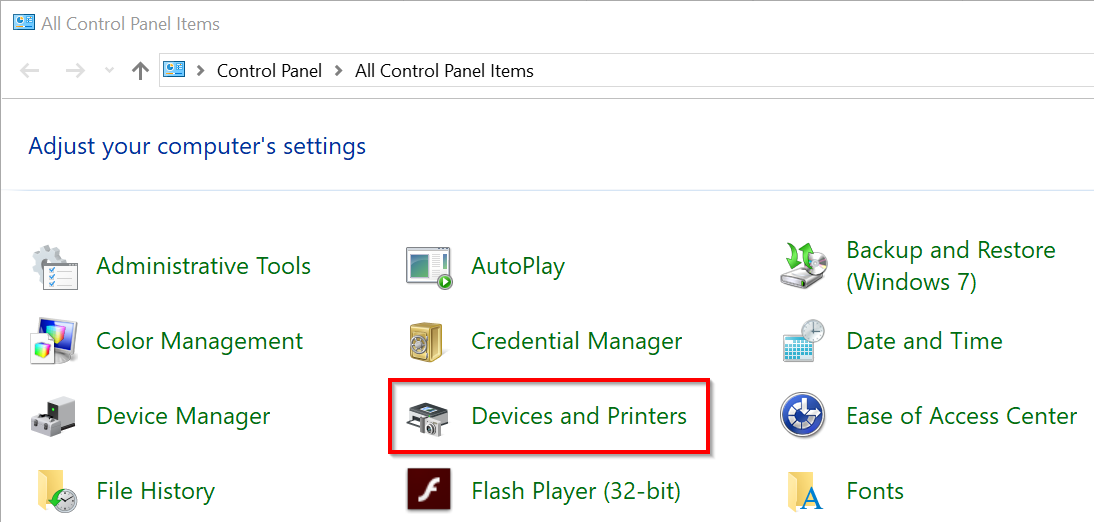
Once in the Control Panel open Devices and Printers.
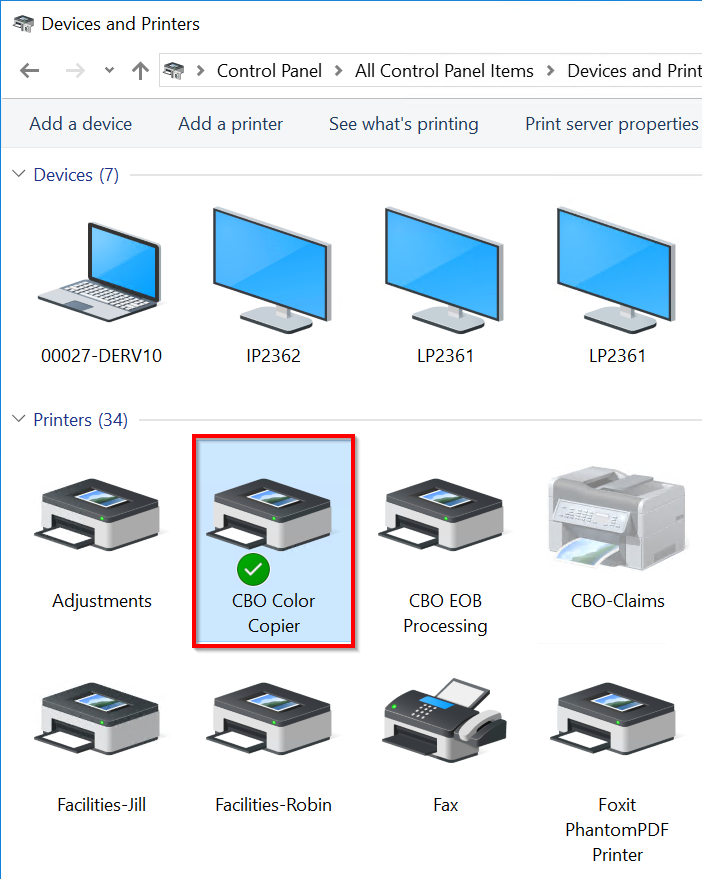
Then Right Click your preferred printer and select Set as default printer.
Make sure you can see the green circle  on the printer icon.
(If Windows asks you if your are sure, click OK)
- Occasionally you will see "Microsoft XPS Document Writer", "Send to OneNote" or "PDF Creator" set as the Default Printer. None of these is a real printer, so you would want to change the default to something that will produce ink on paper.
Now you are done!
Comments
0 comments
Please sign in to leave a comment.