
If you've noticed all your emails have the wrong date/time, then you're setup for the wrong timezone! It's very easy to fix and will take less than 2 minutes!
1. Login to your email.
2. On the top right next to your name, select the Cog.
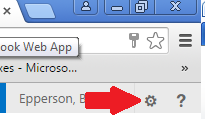
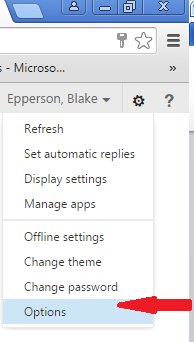
3. Select Options in the drop-down list.
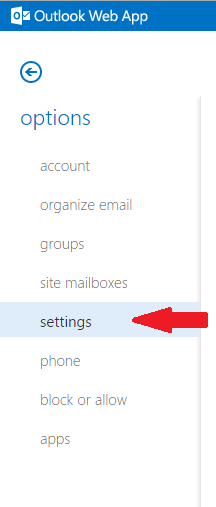
4. On the left-hand side of the page, select Settings.
5. Select Regional on the top of the page.
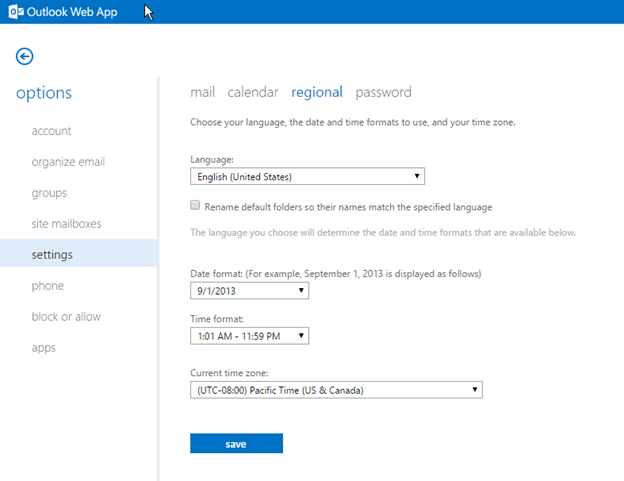
6. The last item is your Current time zone; set appropriately. Be sure to Save when done!
Comments
0 comments
Article is closed for comments.