
1. Open your document in Adobe Reader
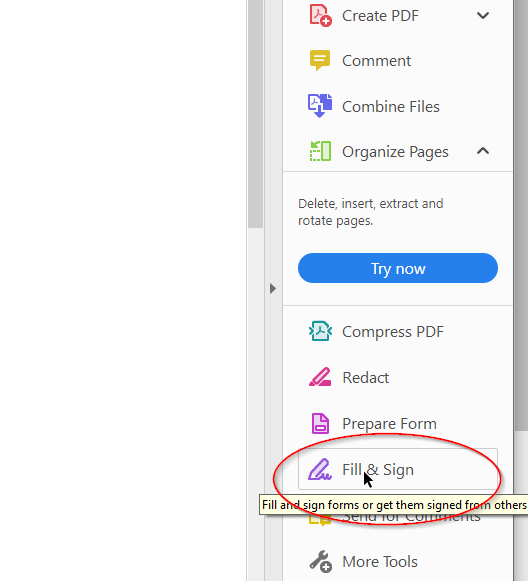
2. On the right hand side of the screen, select Fill & Sign:
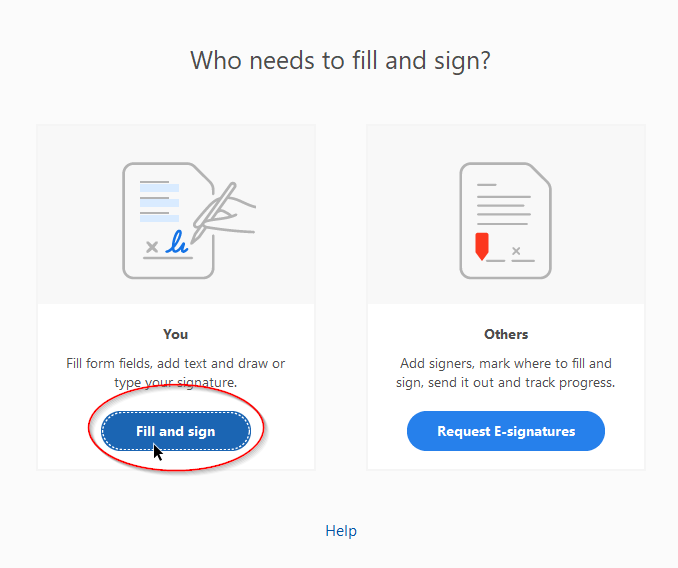
3. Select "You":
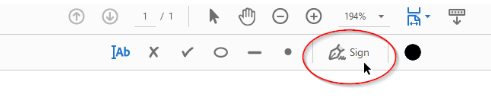
5. Go to tool bar at the top of the page and select Sign:
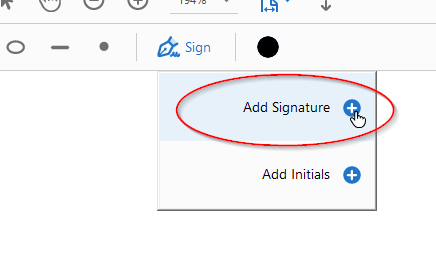
6. Select Add Signature:
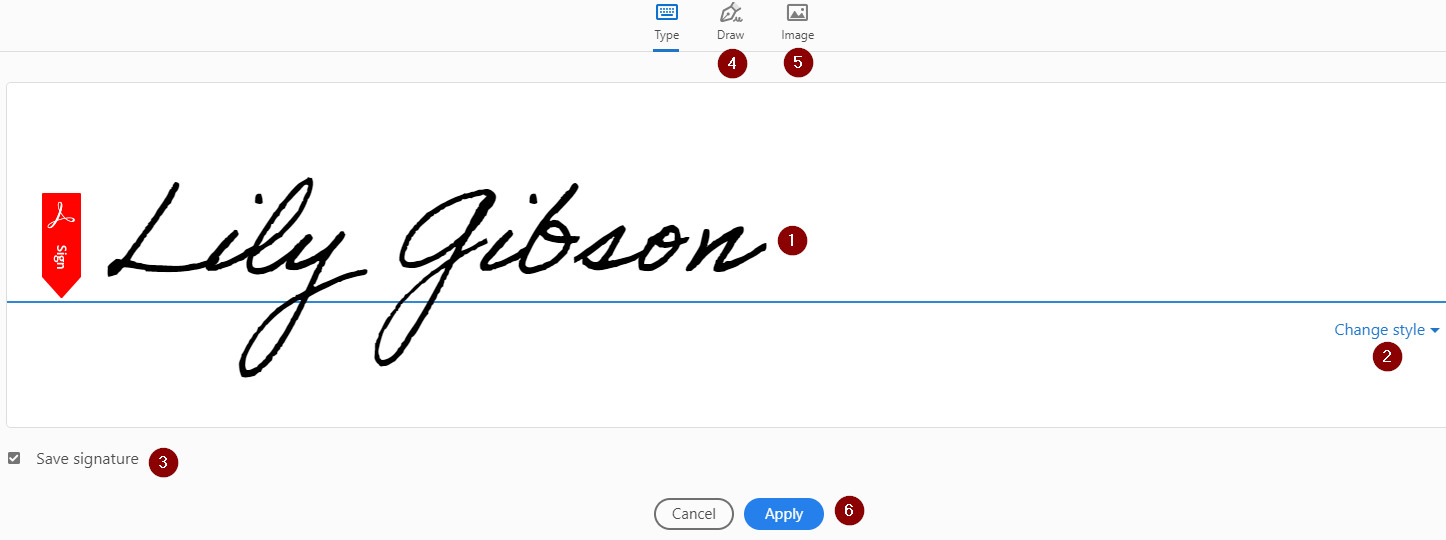
7. Then:
- Type your name
- Change the style to fit your desired look
- Make sure the "Save Signature" checkbox is marked for future use
- You can also use your mouse to draw your signature using the "Draw" feature
- Or you can upload an image of your signature using the "Image" feature
- Press Apply to save your signature
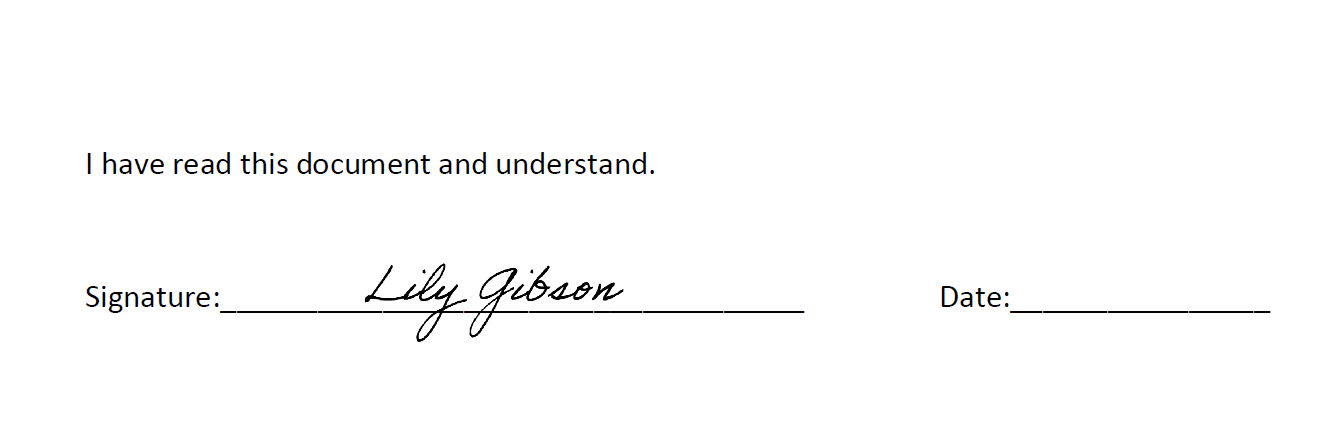
8. Click on the signature line where you want to place your signature
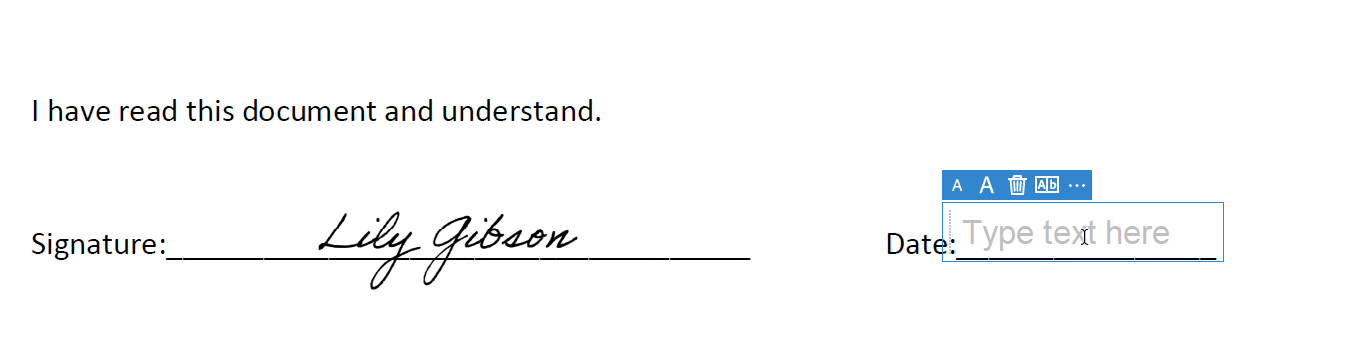
9. After placing your signature on the line, click on the date line and a text box will be automatically placed:
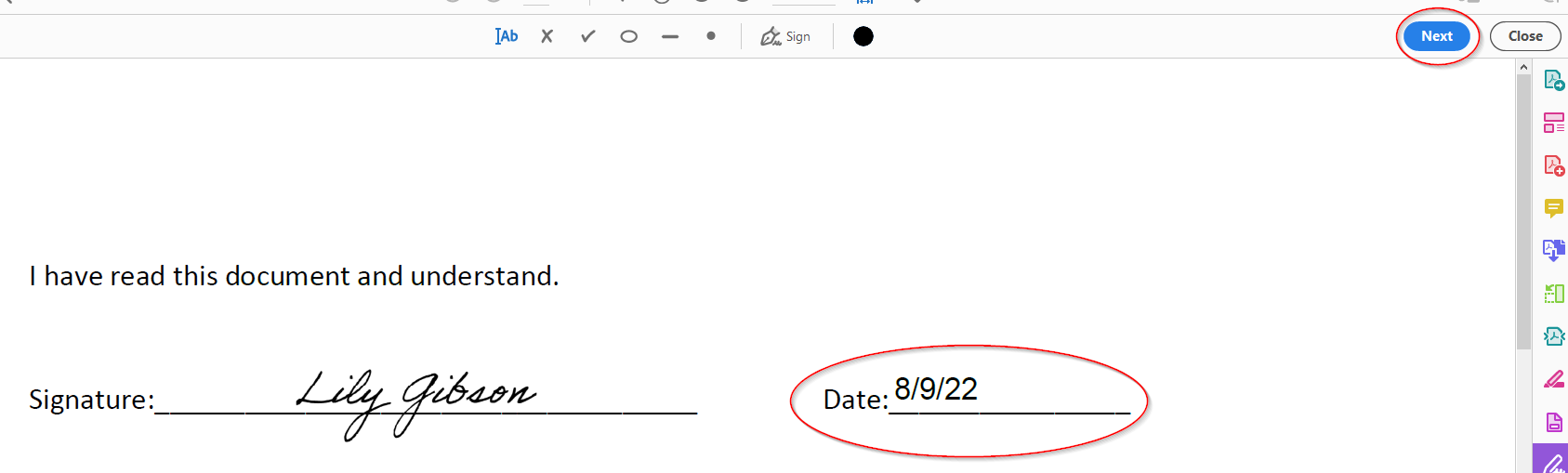
10. Enter the date, then press Next in the right hand corner
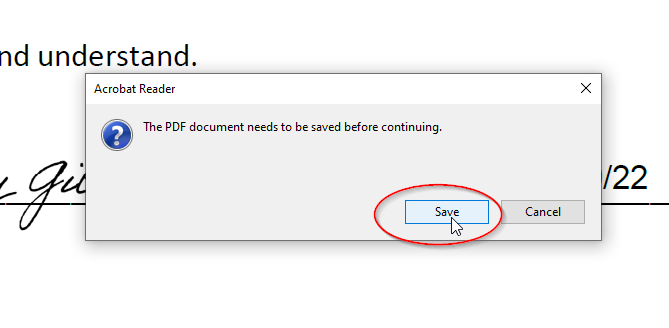
10. A pop up window will ask to save the document, press Save:
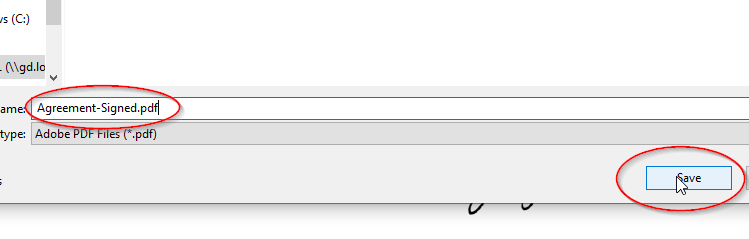
11. Choose where on your computer to save the document, name as desired, and press Save:
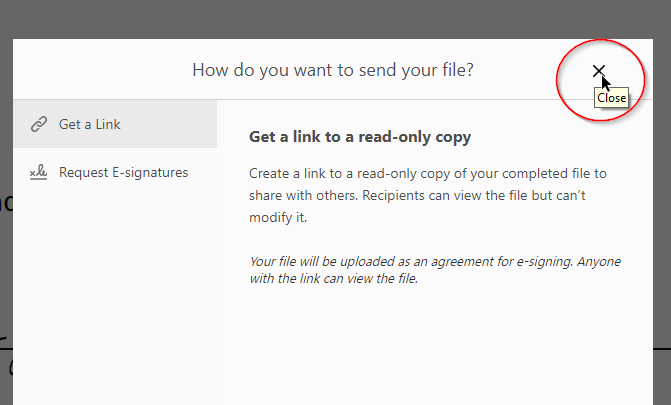
12. You will get a dialogue box, press the X to close:
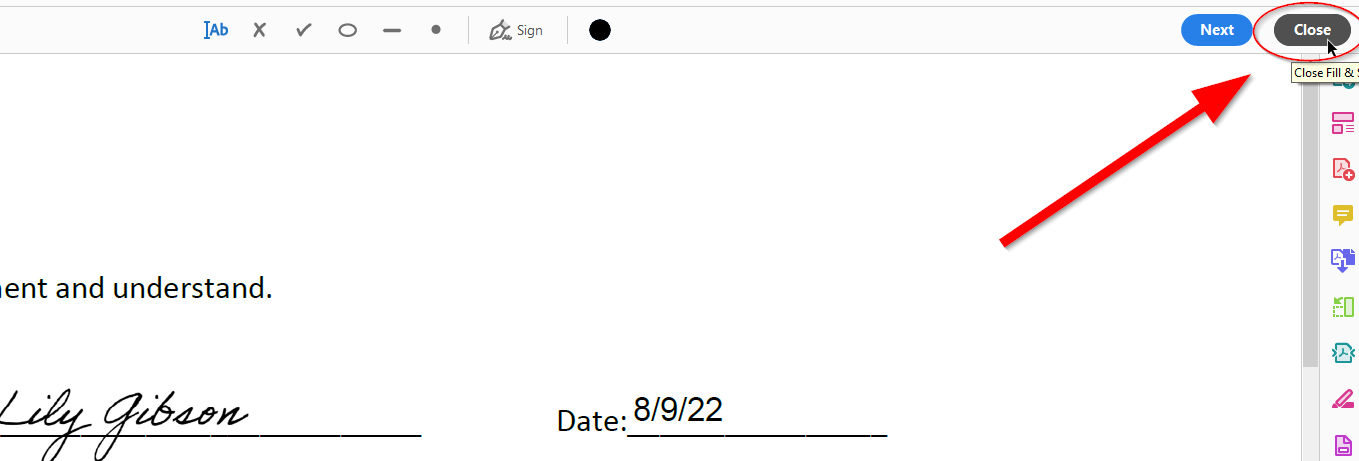
13. Press Close in the top right hand corner:
14. You are finished!
Comments
0 comments
Article is closed for comments.