
Below are steps to change your default PDF program.
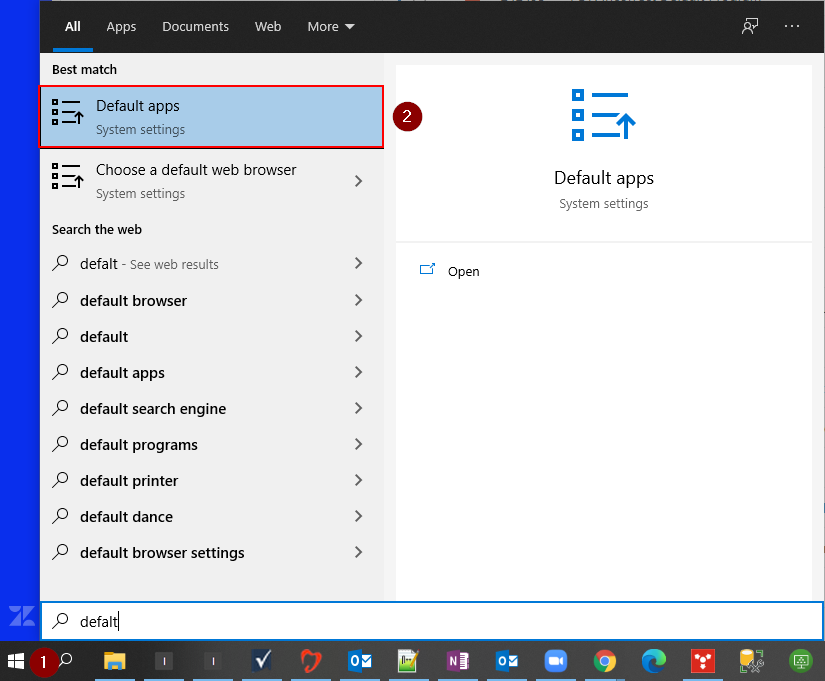
1. Go to the Start Menu and type out the word "default" then click on "Default apps".
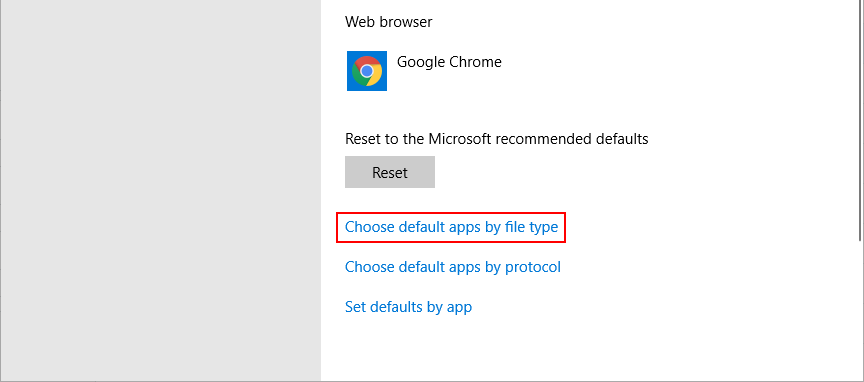
2. Scroll down to "Choose default apps by file type" and click on it.
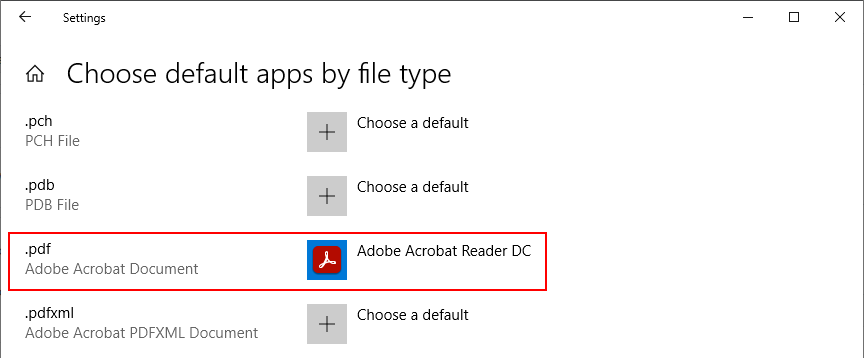
4. Scroll down to ".pdf" and click on the current assigned program.
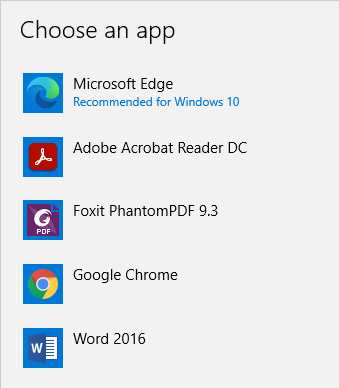
5. Click on the desired program and your are done.
Comments
0 comments
Article is closed for comments.