
If recipients of your scans are receiving the error below, please follow these instructions.
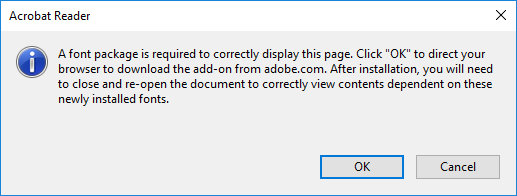
This Issue only happens when scanning with Epson Scan and not Epson Scan 2.
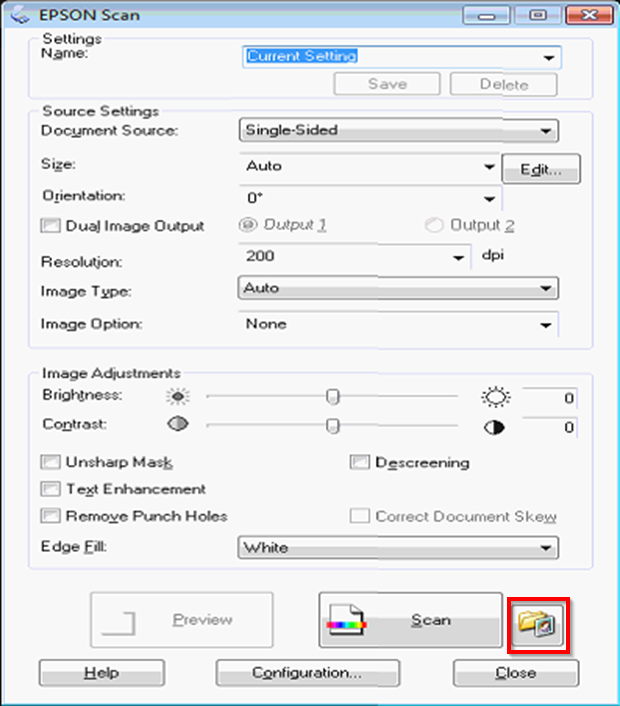
Launch Epson Scan on the effected workstation, from ether the start menu or the desktop.
Click on the folder with the red box on it.
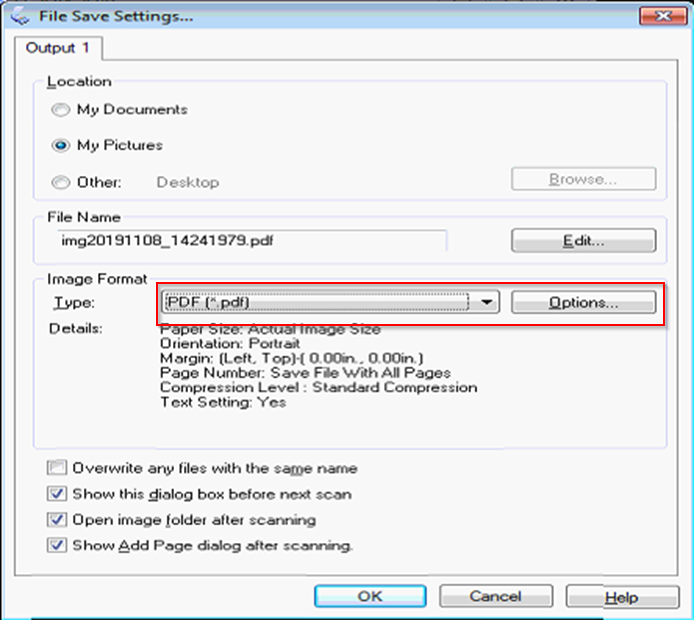
On the next window make sure type is to PDF and click on Options.
On the next window make sure Create Searchable PDF is Unchecked then click OK.
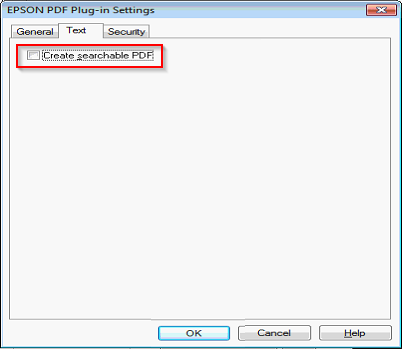
Now your PDF scans will not prompt recipients of your file to download a font package.
Comments
0 comments
Article is closed for comments.